Hardware
Use the hardware you already own
Opero isn't a box of proprietary terminals. It runs on the tablets and phones you already have — any modern iPad or Android device becomes your POS, kitchen display, kiosk, or customer screen. Want a dedicated setup? Add one when you're ready. No lock-in either way.
Runs on what you’ve got
Every Opero surface is a web app, so it opens on the device that’s already on your counter or in your pocket. Repurpose a spare tablet as a kiosk during a rush, then use it as a second register the next day.
POS register
Any tabletRing up dine-in, takeout, and phone orders on an iPad or Android tablet on the counter.
Kitchen display (KDS)
Any tablet or screenTickets fire straight to a tablet — or a screen with a cheap streaming stick — in the kitchen. No printer required.
Self-order kiosk
Any tabletStand a spare tablet on the counter and it becomes a self-order kiosk. No separate kiosk terminal to buy.
QR & web ordering
Your guests' phonesGuests scan a QR at the table or order from their own phone — that's zero hardware on your side.
Customer display & menu board
Any tablet or TVShow the order total to the guest on a second tablet, or run a digital menu board on any TV.
If you want a dedicated setup
None of this is required to open — but when you want to make it permanent, these are the pieces operators usually add. They’re optional, and you can add them one at a time.
A dedicated kiosk stand
OptionalPrefer a permanent self-order station? Drop a tablet into a countertop or floor stand. Opero runs the same — the stand is just furniture.
A kitchen screen & mount
OptionalBusy kitchens often want a larger, wall-mounted display for the KDS. Any HDMI screen works; mount it however suits your line.
Printers & a cash drawer
OptionalMost Opero shops go printer-light with digital receipts and KDS tickets. Want paper — receipts at the counter, tickets on the line, or a cash drawer that opens on a cash sale? Opero drives supported network printers, and only certain models work. Tell us your setup and we'll spec it with you before you buy.
Get your setup spec'd →Extra card readers
OptionalEvery location needs one card reader to take cards in person. Running multiple registers? Add more when you need them — there is no per-device software fee either way.
The one piece you buy from us: the card reader
You bring the tablets — that part never changes. To take tap, chip, and swipe in person you need one card reader per location, and that comes from us: the PAX A800 is our default. It arrives provisioned and processing-ready, so there is nothing to source or certify yourself. It is the only piece of hardware you cannot run without.
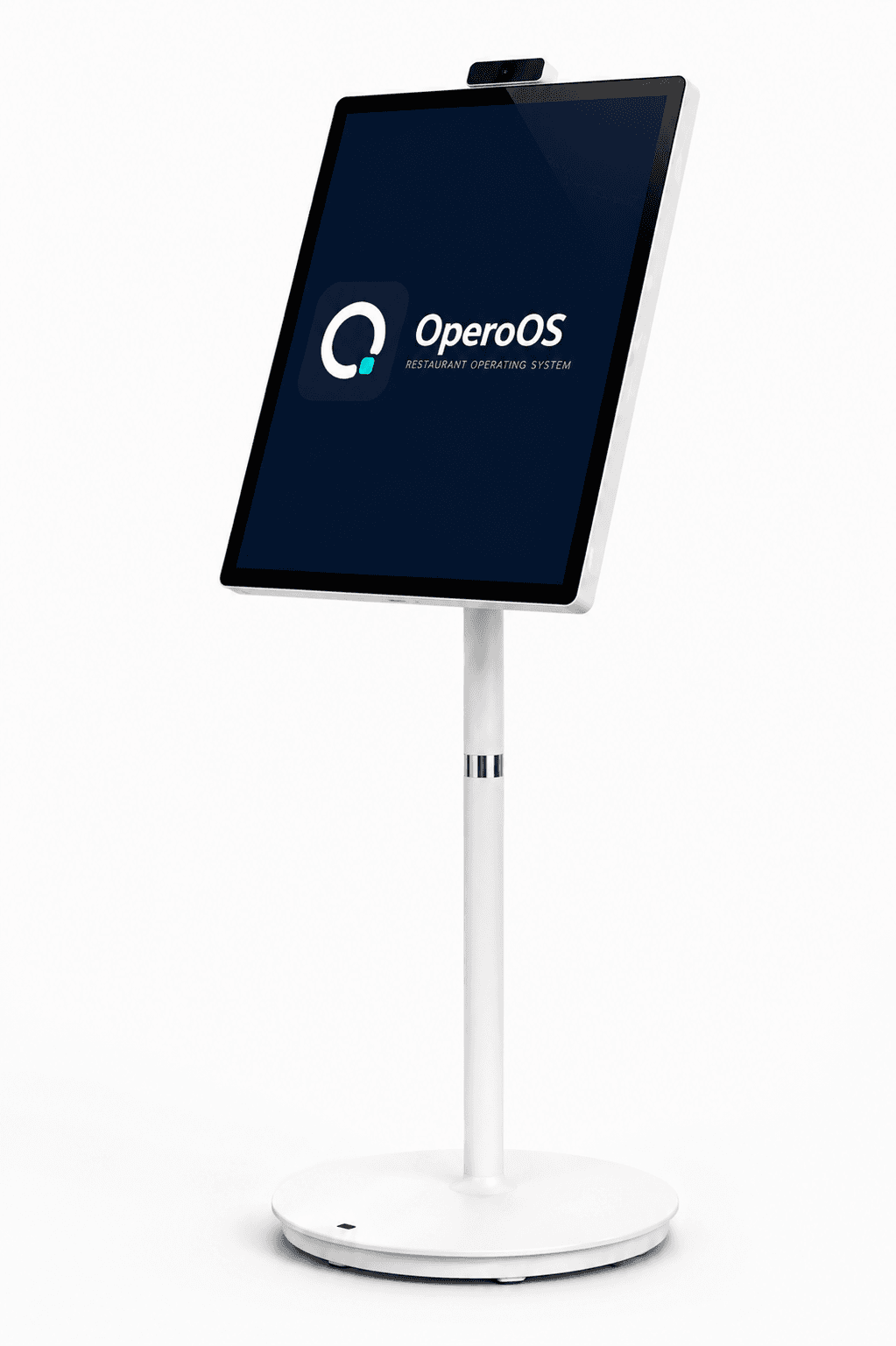
The Opero Kiosk
A dedicated self-order station, built and supported by us. Guests order and pay themselves — bigger checks, shorter lines, fewer mis-rings — on the same menu spine your POS and kitchen display already run.
It is genuinely optional. Opero Kiosk runs just as well on an iPad or Android tablet you already own, and there is no per-kiosk software fee either way. This is for operators who want a finished floor unit instead of sourcing a tablet and a stand.
What you actually need to open
- One tablet or phone per station you want to run (POS, KDS, kiosk — reuse what you have).
- A reliable internet connection (Wi-Fi or cellular).
- One card reader per location, bought from us — the PAX A800 is our default. It is the one piece of hardware you cannot skip if you take cards in person, and we set it up when you enable payments.
No exact device model is required — if it runs a current web browser, it runs Opero. Not sure your gear qualifies? Ask usand we’ll tell you straight.
Opero is device-agnostic software. One card reader per location is required and bought from us; a kiosk is optional. Support follows the name on the box: for hardware we supply, you come to us — we warrant it and handle its support directly. Tablets, stands, screens, and anything else you buy elsewhere are warranted and repaired by that manufacturer or retailer. Getting any of it working with Opero is ours either way.